 drag it. let go near a corner.
the mini player.
ctrl+m and the film moves to a small window. it stays where you leave it, and glides into a corner when you let go beside one.
tiny, free apps for windows
small software for people who don't fit neatly into boxes.
a video and music player for windows
the video is the interface.
01 · the window
just the film. nothing else.
cue opens in the shape of your video. no toolbars, no frames, nothing between you and the picture.
02 · the controls
there when you reach for them.
move the mouse and the bar comes back. keep still, and it rests. try it on the picture.
03 · the light
light that follows the scene.
the window glows with the colours of what you're watching, like a screen in a dark room.
04 · new in 1.4
chapters, right on the timeline.
jump between them with pg up and pg dn, or pick one from the ··· menu.
you came to watch a film, not a player. so cue steps aside, and comes back the moment you need it.
music
the cover, sharp in the middle. the spectrum opens like wings beside it, the bass closest, and a soft light in the cover's colours swells with the music.
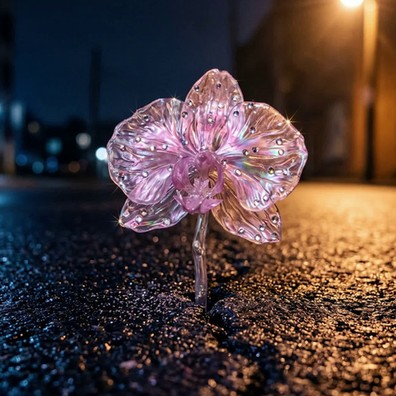
antropocenofóssil de glitter
the same choices as cue's own menu. point at the cover, too.
around the player
drag it. let go near a corner.
ctrl+m and the film moves to a small window. it stays where you leave it, and glides into a corner when you let go beside one.
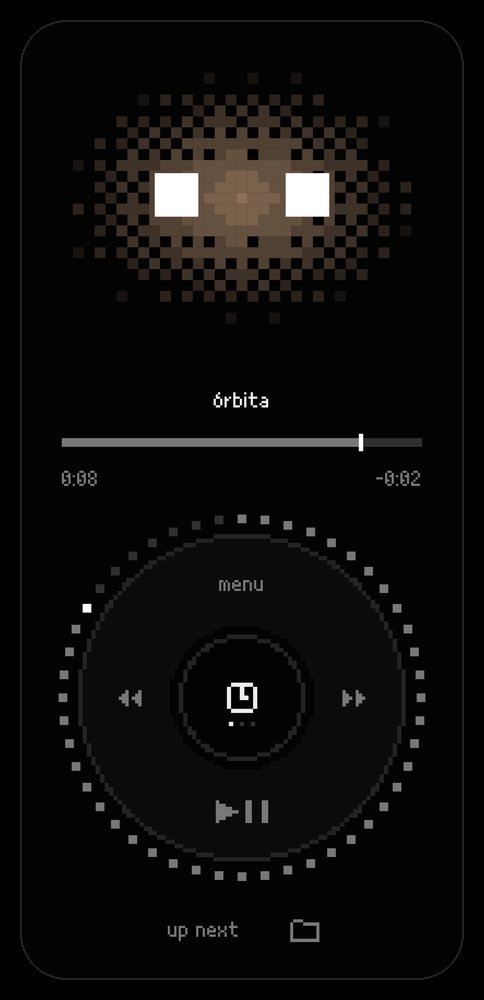
scan a QR code on the same network. nothing to install. a throwback click wheel for time, volume and up next.

every star you see is already the past.
font, size, background and position. drag them where you like.
 antropocenonow playing
 estratonext
 testemunho3 / 3
a queue of files and folders, one click away, and shared with the phone.
new in 1.4
every recent file shows where you stopped, or the album cover, and how much is left.
marked on the timeline and listed in the ··· menu. jump between them with page up and page down.
films open in their own shape, timeline previews arrive sooner, and cue rests when nothing is happening.
made for the keyboard
click the picture, then try them. they work here just like they do in cue.
click the picture, then press a key.
the details
a universal inbox for files
copy, ctrl+v, done.
a small window for videos, images, audio and files. paste a link, or drop a file, and omni downloads, converts or compresses it. the file decides.
the rule omni lives by
omni should never ask a question it can safely answer itself.
about the studio
.tinypeep is gabriel benzoni, an art director in brazil, making the apps he wanted to use. free, and open source.
performance and quality go together. animations that mean something. nothing that weighs on your pc.
found a bug? open an issue on github. want to keep it going? buy me a coffee. contact: tinypeepstudio@gmail.com


